 Envkeep
An encrypted home for the API keys your AI agents keep asking for.
Stop pasting secrets into your AI chat. Envkeep keeps your team's ENV secrets in an age-encrypted vault — a native macOS app for you, and a CLI that hands your coding agent exactly one value, on demand, with nothing left in plaintext.
Free & open source (MIT) · macOS · brew install jackofshadowz/tap/envkeep

Why Envkeep
Secrets that fit how you actually work now.
A real encrypted vault with the ergonomics of a password manager — and a command line built for the agents in your editor.
A CLI for agents
envkeep get NAME prints one value; envkeep env project loads a whole project into the shell.
Native macOS app
A real Swift / WKWebView window with its own Dock icon, ⌘K palette, and menus — not a browser tab.
Notes & extra fields
Attach a rotation reminder or owner to any secret, plus extra fields like USERNAME / URL — metadata, never injected into env.
Decrypt on demand
No plaintext cache by default. Optional Keychain cache for speed, one-click Lock, Touch ID & 2FA gates.
Team-ready
Share the encrypted vault via a private git repo; add teammates by age public key, revoke & rotate in one command.
Built for AI coding agents
Hand it the name. Not the secret.
Claude Code, Cursor, and aider all run shell commands. Envkeep gives them a safe verb: fetch a single value at the moment it's needed.
- Nothing in the transcript. Agents call envkeep get / env instead of you pasting keys into chat.
- One value at a time. Scope access to a single secret or a single project — not your whole .env.
- No .env lying around. Inject straight into the process environment; nothing written to disk.
- Audited. Every read is logged by name — never the value.
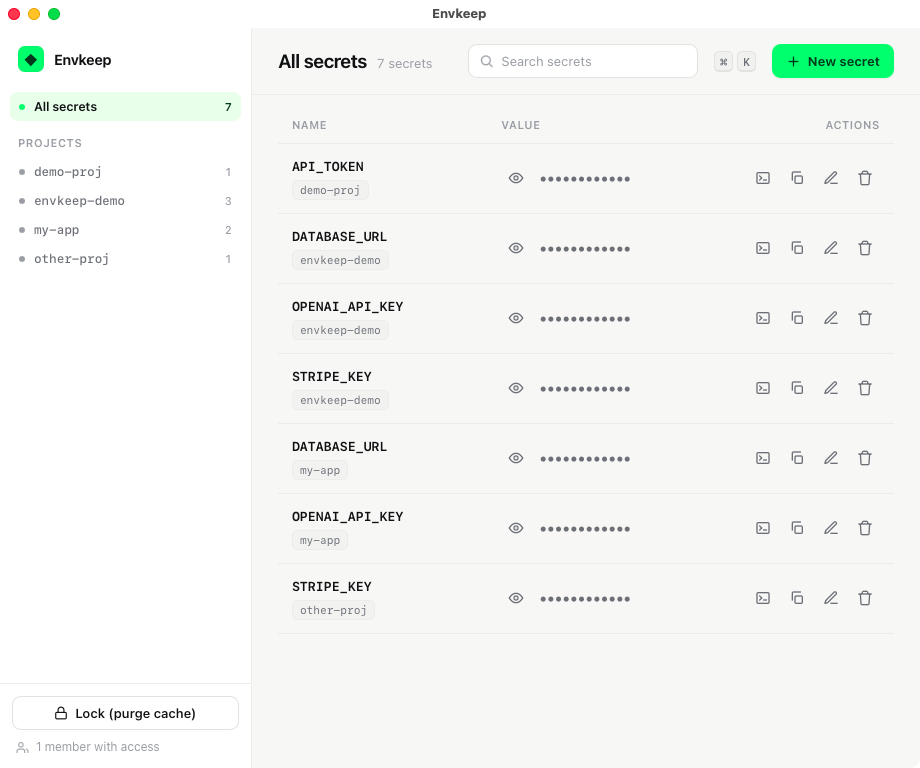
Security you can reason about
Layered. Honest. Yours.
Turn on as much as you need. Only ciphertext is ever stored or pushed — a stolen repo or laptop-at-rest exposes nothing.
🔑 Passphrase-encrypted key
Encrypt your age identity itself (openssl AES-256 + PBKDF2). A stolen key file is useless; unlock once per session.
👆 Touch ID & 2FA gates
Biometric or TOTP before a value is revealed or copied in the app, with auto-relock windows.
📜 Names-only audit log
Every read/write appended to a local log — actions and names, never values.
🪶 Zero dependencies
Pure Python 3 stdlib + age. No pip, no server, no database — a small surface you can audit yourself.
Get started
Up and running in a minute.
Pick your install. Then envkeep init creates your key, vault, and recipients entry.
Prefer the app? Grab Envkeep.app from the latest release. Requires macOS & age (brew install age).